We use cookies to improve the services we offer you. By continuing to browse this site, you consent to keep them in accordance with our Privacy Policy.
×We use cookies to improve the services we offer you. By continuing to browse this site, you consent to keep them in accordance with our Privacy Policy.
×
 41
41
 10 min

You’ve got a great product. But if your visuals are static, your potential customers are scrolling right past it.
Product videos are no longer optional but expected. Whether you’re selling on an e-commerce marketplace, promoting a brand on Instagram, or launching something new on your website, a short, eye-catching product video is one of the highest-converting assets you can have according to marketing studies.
The good news? You don’t need a film crew or a Hollywood budget to make one. You just need the right tools and a solid strategy.
This guide will walk you through everything: what makes a product video effective, what equipment and software you’ll need, how to plan and shoot your footage, and how tools like Kittl’s AI video generator are changing the game for everyday creators.
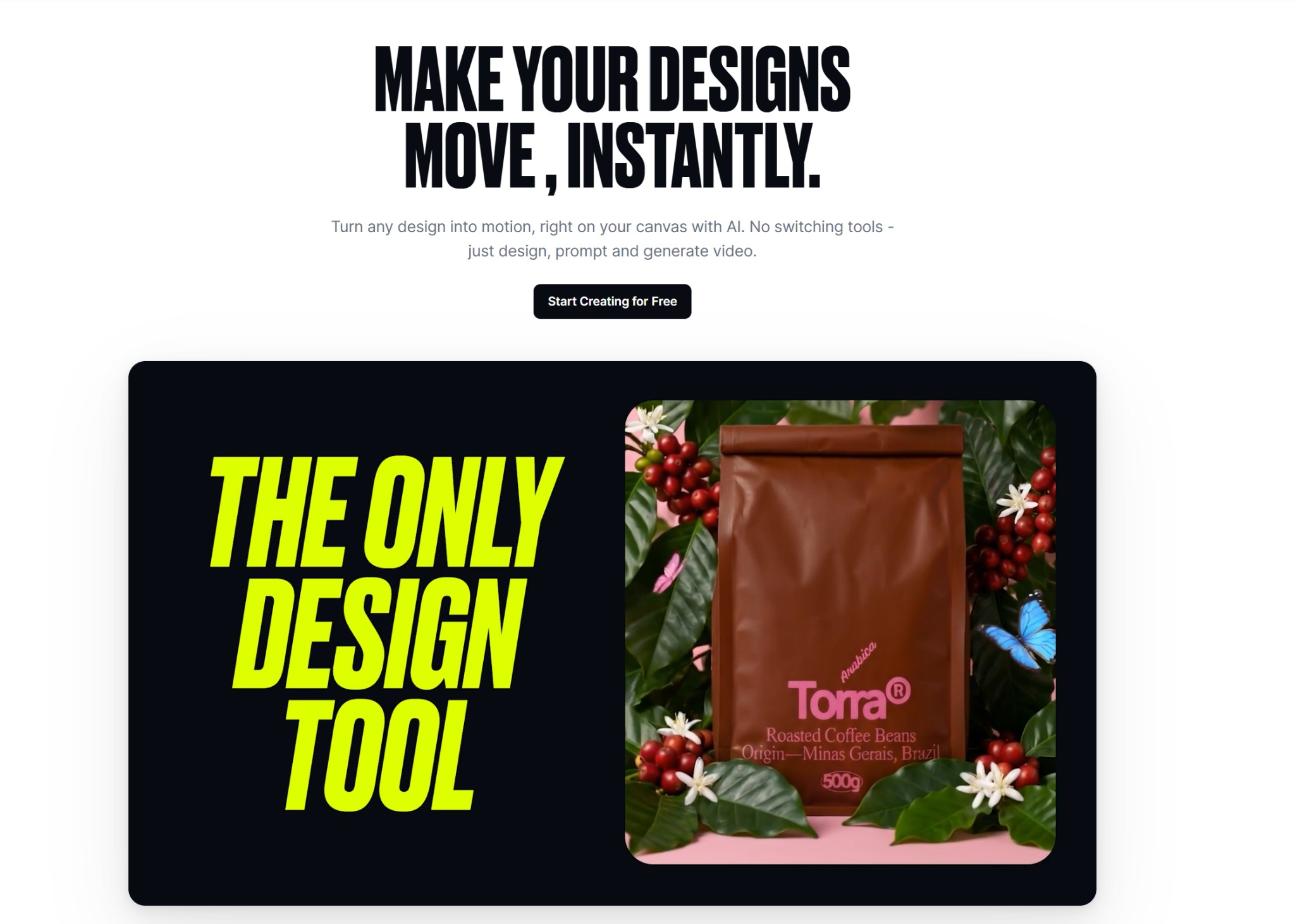
Kittl AI Video Generator
Before you press record, it helps to understand what separates a forgettable product video from one that actually converts.
The best product videos do three things well:
Here are the core qualities to aim for:
Clarity. The viewer should understand the product within the first 3–5 seconds. Don’t bury the lead.
Short runtime. For social media and product pages, 15–60 seconds is the sweet spot. Longer videos work better for tutorials or in-depth reviews.
Professional quality. This doesn’t mean expensive. It means clean lighting, stable footage, and crisp audio — all of which are achievable with a smartphone and the right editing tools.
A clear call to action. End your video with a direction: visit the website, shop now, learn more.
A product video without a plan is just a collection of clips. Spend 30 minutes on pre-production and you’ll save hours in the editing room.
Are you trying to drive sales? Build brand awareness? Explain how the product works? Your goal determines your format.
If you’ve been reading several of guides, you already know how important it is to understand who you’re creating for. The same principle applies here. A product video for Gen Z shoppers on TikTok will look very different from one aimed at B2B buyers on LinkedIn.
You don’t need a full script — just a shot list. Jot down the angles you want to capture:
Having this list means you won’t forget key shots while filming and you’ll have more material to work with in post-production.
You don’t need a professional camera to make a great product video. A modern smartphone with a good camera (most flagships today shoot in 4K) is perfectly capable of delivering sharp, vibrant footage.
If you want to step up your setup, here are the basics worth investing in:
Keep your background clean and minimal. A plain white, grey, or black backdrop puts the product front and center. For lifestyle shots, choose a setting that tells a story: a cozy home, a tidy desk, an outdoor setting. Make sure it doesn’t compete with the product for attention.
Styling matters too. Remove clutter and pay attention to how the product is positioned and lit from every angle.
This is where things get interesting, especially for creators who don’t have hours to spend in a traditional editing timeline.
AI-powered video tools have matured significantly. They can now handle tasks that once required professional software, real expertise, or looking for countless video editing hacks. And they’re doing it in a fraction of the time.
Modern AI video editors can automatically trim silence from footage, generate captions, remove backgrounds without a green screen, apply motion tracking, denoise audio, and even suggest edits based on the content of your clips. For product videos specifically, they dramatically reduce the time between raw footage and a publish-ready clip.
Tools like Kittl’s Ai video generator takes a uniquely useful approach for product creators.
Instead of starting with footage, Kittl lets you start with your design. You can take any static asset (for example, a product mockup, a branded graphic, or a typography layout) and turn it into a short animated video clip directly on the canvas.
This is particularly powerful for:
Kittl uses advanced models including Seedance 2.0, and Veo 3.1, and the results feel distinctly design-led rather than generic, which matters when you’re trying to maintain a cohesive brand look.
The workflow is especially efficient because Kittl is an all-in-one design platform. You can design your product graphic, generate a background, create a mockup, and animate everything into a video without ever switching apps. For creators who live in a constant loop of “design → export → import → edit,” that’s a genuine time-saver.
A great product video on the wrong platform (or in the wrong format) won’t reach its potential. Tailor your output to where you’re publishing.
| Platform | Recommended Format | Ideal Length |
| Instagram Reels / TikTok | Vertical (9:16) | 15–30 seconds |
| Instagram Feed | Square (1:1) or vertical | 30–60 seconds |
| YouTube | Horizontal (16:9) | 60 seconds – 3 minutes |
| Facebook Ads | Square or horizontal | 15–30 seconds |
| Product page / website | Horizontal (16:9) | 30–90 seconds |
Most modern editing tools let you export or resize your video for different aspect ratios without rebuilding everything from scratch.
A significant portion of social media users watch videos with the sound off. Captions aren’t just an accessibility feature — they’re a conversion tool.
Add subtitles to any narration or dialogue in your video. If you’re using AI-powered tools, many of them can auto-generate captions from spoken audio, which saves considerable time. Review them for accuracy before publishing, as automated captions are good but not always perfect.
Before you hit publish, run through this quick checklist:
Hook in the first 3 seconds. The opening frame should be visually compelling. Don’t start with a logo or a slow fade-in. First, you have to show how good the product looks or does something interesting.
Show, don’t just tell. Demonstrate the product in use wherever possible. Seeing a product work builds far more confidence than reading a list of features.
Use movement intentionally. Whether it’s a slow product rotation, a lifestyle shot with natural movement, or an AI-generated animation, movement catches the eye and holds attention longer than static images.
Keep the audio clean. Background noise, distortion, or inconsistent volume levels are the fastest way to lose a viewer’s trust. Spend time on audio quality during both recording and editing.
A/B test your thumbnail. Your thumbnail is what gets the click on YouTube and social platforms. Test different options to see what performs better with your audience.
End with a CTA. Don’t let the video just fade out. Whether it’s “Shop Now,” “Visit Our Website,” or “Follow for More,” give the viewer a clear next step.
Making a great product video is more accessible than ever. With a clear plan, the right tools, and a bit of attention to detail, you can create content that looks professional, connects with your audience, and actually drives results — without needing a production team or a big budget. Start simple, iterate based on what performs, and keep refining your process as you go.
Do I need professional equipment to make a product video?
No. A modern smartphone, a tripod, and decent lighting are all you need to get started. As you grow more comfortable with video production, you can invest in better gear — but great fundamentals will outperform expensive equipment every time.
How long should a product video be?
For most platforms and use cases, aim for 15–60 seconds. Longer videos work well for detailed tutorials or comparison reviews. Shorter clips perform better in paid ads and social feeds.
Can I create a product video without filming anything?
Yes. If you have product design assets, mockups, or branded graphics, tools like Kittl’s AI Video Generator let you animate them into short video clips without any filming required. This is especially useful for digital products, apparel brands, and e-commerce sellers who want motion content quickly.
What’s the best AI video editor for product videos?
It depends on your workflow. If you’re starting from footage and want full editing control, Movavi Video Editor gives you a powerful, beginner-friendly experience. If you’re starting from a design or mockup and want to generate animated clips fast, Kittl’s AI video tool is purpose-built for that.
How do I make my product video stand out?
Focus on what makes your product unique and show — don’t just tell — why it matters to your viewer. Strong lighting, clean staging, purposeful motion, and tight editing will always outperform busy, over-produced videos that try to do too much.