We use cookies to improve the services we offer you. By continuing to browse this site, you consent to keep them in accordance with our Privacy Policy.
×We use cookies to improve the services we offer you. By continuing to browse this site, you consent to keep them in accordance with our Privacy Policy.
×
 111
111
 14 min
Storyboarding used to mean one of two things: you could draw, or you could hire someone who could. Neither option was fast, and neither was cheap. In 2026, a new generation of AI storyboarding tools has changed that equation. You bring the script and the shot ideas, and the software handles the panels, the character consistency, and – increasingly – the pitch-ready presentation.
Let’s be clear about what these tools are and aren’t. An AI storyboarding tool is a pre-production aid for directors and producers, not a replacement for a trained storyboard artist on a big-budget production. What it does is close the gap for the indie filmmaker who needs to visualize a scene before the shoot, the agency that has to pitch a concept by tomorrow morning, and the solo creator who has a script but no art department. It also pairs neatly with the rest of your workflow – the same way you might plan a slideshow or map out a shot before you ever open an editor.
Below is a side-by-side comparison of the eight best AI storyboarding tools, followed by a full breakdown of each — features, pricing, pros, and cons.
| Tool | Best for | Standout feature | Free plan | Starting price |
|---|---|---|---|---|
| Drawstory | Directors turning a full script into a storyboard | Upload script → complete storyboard, no per-panel prompts | Yes (10 img/mo) | $32/mo |
| Midjourney | Highest single-frame cinematic art quality | –cref character consistency, Niji anime mode | No | $10/mo |
| Nano Banana | Fast, cheap, consistent character frames | Character consistency across up to 5 people, 4K output | Limited (Gemini app) | $19.99/mo (Gemini AI Plus) |
| Canva | Layout, lettering, and frame assembly | Drag-and-drop storyboard templates plus Dream Lab AI | Yes | ~$15/mo (Pro) |
| ChatGPT | Combining script breakdown with quick concept frames | Conversational editing — describe the change, no re-prompting | Yes (very limited) | $20/mo (Plus) |
| InVideo | Turning a storyboard straight into a rough-cut video | “Boards” tool: one sentence in, nine shots out | Yes (watermarked) | ~$25/mo |
*Pricing verified Q2 2026. Plans and features change often — confirm current details on each tool’s site.*
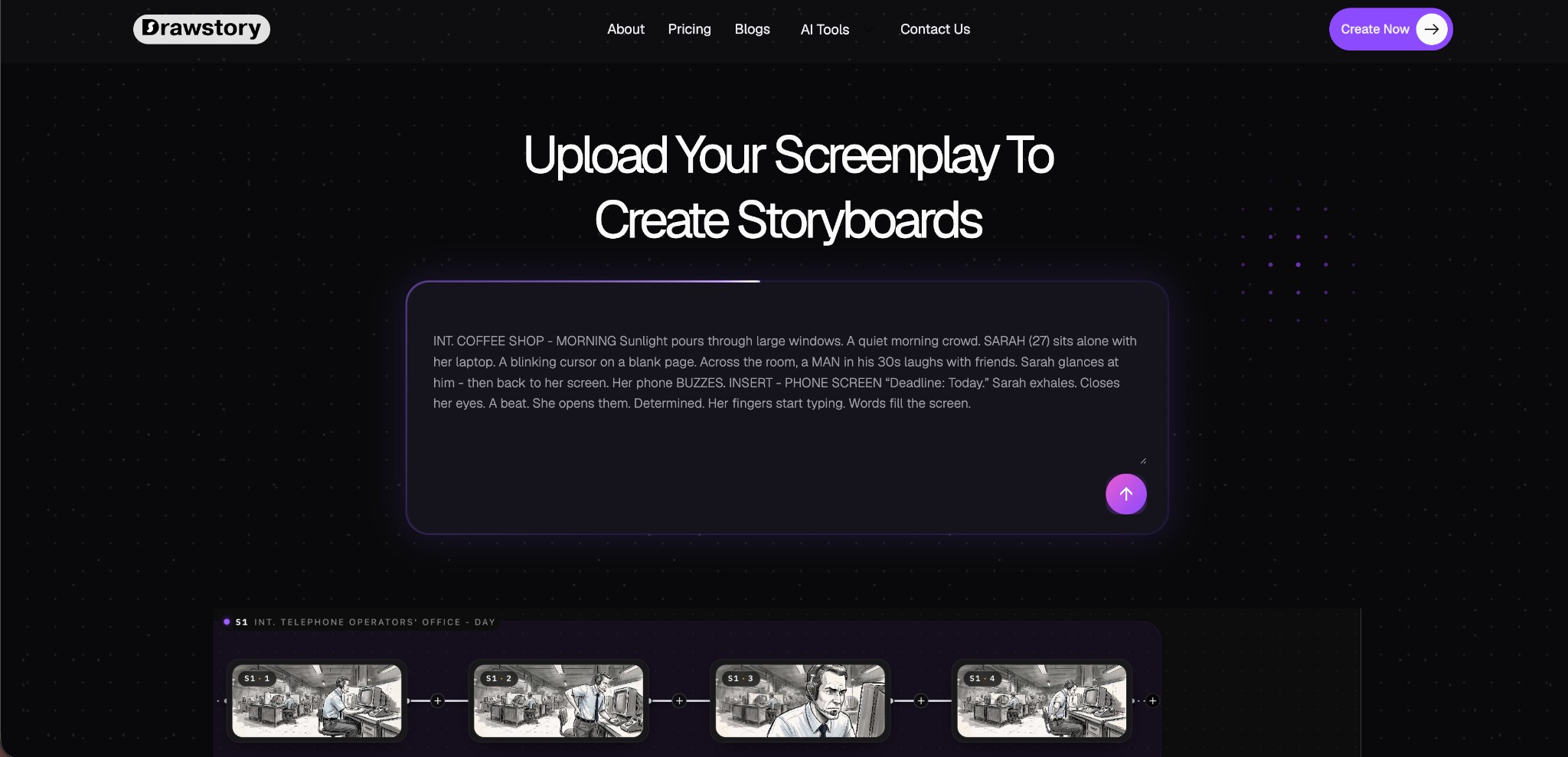
Drawstory is built for the director, not the prompt engineer. It’s an AI storyboarding tool that lets filmmakers upload a full script and generate a complete, sequenced storyboard without fighting an image model panel by panel. Instead of writing a fresh prompt for every shot, you drop in your script and let Drawstory break it into scenes, generate consistent artwork, and keep your characters looking the same from the opening shot to the final frame.
That’s the core problem Drawstory solves. Most AI image tools are built for one great-looking frame. A storyboard needs dozens of frames that all belong to the same story — same faces, same wardrobe, same world — and that’s exactly where Drawstory is purpose-built to help.
Drawstory offers a free tier plus paid plans for individual creators and teams:
Annual billing is available with two months free. Always check the official pricing page for the latest plans.
Use case example: A director uploads a 10-page scene, adds reference images for the two leads and the main location, and generates a full shot-by-shot storyboard with consistent faces and sets. Then the director uses the AI prompt editor to change the camera angle on one panel and turns the finished board into a quick animatic to walk the cinematographer through coverage.
Midjourney isn’t a dedicated storyboarding tool, but it’s arguably the most capable AI image generator for a single, gorgeous frame. That’s why so many directors and cinematographers use it for mood boards, lookbooks, and hero concept frames before a shoot.
Features: The –cref parameter for character reference consistency, Niji mode tuned for anime and stylized work, image-to-video animation (5–21 second clips), and some of the most cinematic lighting and composition of any image model on the market.
Pricing: No free trial. Basic is $10/month, Standard $30/month, Pro $60/month, and Mega $120/month. Pricing is based on GPU generation time rather than a flat image count, and annual billing saves 20%.
Pros
Cons
Nano Banana is Google’s family of Gemini image models (Nano Banana 2 and Nano Banana Pro), and it’s become a popular pick for storyboard frames specifically because of its subject consistency. Google’s own documentation even calls out storyboarding as a target use case.
Features: Character consistency for up to five people in a single generation, fidelity for up to 14 reference objects, resolution up to 4K, fast four-to-six-second generation times, and accurate in-image text rendering.
Pricing: Limited free access through the Gemini app and Google AI Studio. Gemini AI Plus is $19.99/month (roughly 50 image credits per day), and Gemini Ultra is $124.99/month for high-volume access. Developers can use the API directly at roughly $0.045 to $0.24 per image depending on resolution.
Pros
Cons
Canva isn’t an AI-native storyboard generator, but it’s one of the friendliest places to lay out, letter, and present a storyboard once you have your frames. Its Magic Studio AI features — particularly Dream Lab – can also generate some of those frames for you. If you already use Canva for social, the storyboard templates will feel immediately familiar.
Features: Storyboard templates, drag-and-drop panel layouts, Dream Lab AI image generation, brand kits for consistent team formatting, and a huge stock asset library.
Pricing: The free plan is generous. Canva Pro is about $15/month for individuals (roughly 500 AI image credits per month), and Canva Business runs about $20 per seat per month for teams.
Pros
Cons
ChatGPT isn’t a storyboard app, but pairing its image generation (GPT Image models) with its conversational editing makes it a flexible way to break down a scene and rough out concept frames in the same chat. That makes it handy for early-stage previsualization before you move to a dedicated tool.
Features: Text-to-image generation through GPT Image models, conversational editing (describe the change you want instead of rewriting a prompt from scratch), and the ability to draft shot lists or scene breakdowns in the same conversation as the visuals.
Pricing: The free tier is very limited (roughly three images per day). Plus is $20/month (roughly 200 images per day), and Pro tiers run $100 to $200/month for heavier use.
Pros
Cons
InVideo is primarily a text-to-video platform, but its “Boards” tool is a genuine storyboard planner. The company’s own pitch is “one sentence, nine shots, your entire story,” which makes it a strong pick for filmmakers who want to go from a boarded idea straight into a rough-cut video. If your final deliverable is a finished clip, it also helps to think ahead about details like adding subtitles once the edit is done.
Features: The Boards AI storyboard planner, a full text-to-video pipeline built around stock footage and AI clips, native Sora 2 and Veo 3.1 integration on the top tier, voice cloning, and a large stock media library.
Pricing: A free plan is available (10 AI minutes per week, watermarked exports). Plus is around $25/month (roughly 50 AI minutes per month, no 4K). Max is around $60/month (200 AI minutes, 4K export). A Generative tier at roughly $120/month adds Sora 2 and Veo 3.1 access.
Pros
Cons
The right pick depends on where your bottleneck actually is. If you’re a director who wants to turn a full script into a consistent, shot-by-shot storyboard without prompt engineering, Drawstory is built for exactly that. If you want to go straight from a boarded idea to a rough-cut video, InVideo or Katalist’s animatic tools take you further down the pipeline. If your problem is client feedback and version control rather than generation, Boords is the strongest collaboration layer. And if all you need is a handful of stunning single frames for a pitch deck or mood board, Midjourney or Nano Banana will outperform any dedicated storyboard tool on pure image quality.
One pattern works well for almost any workflow: generate your sequence in a script-to-storyboard tool like Drawstory, then finish presentation and lettering in Canva or hand it off through Boords for sign-off. If you want to see how far a strong visual plan can take a project, it’s worth studying how the best sci-fi movies of all time rely on meticulous pre-production. Used this way, an AI storyboarding tool doesn’t replace pre-production craft – it removes the blank-page problem and gets your shot list in front of a crew, a client, or a collaborator in hours instead of days.
An AI storyboarding tool turns a script or scene description into a sequence of visual panels that represent each shot. You provide the script, characters, and scene details, and the software generates the artwork, keeps characters and settings consistent, and helps you lay out and share the finished board – all without requiring drawing skills.
It depends on your workflow. For directors turning a full script into a storyboard without prompt engineering, Drawstory is the strongest fit. For teams that need client collaboration and sign-off, Boords leads. For the highest single-frame image quality, Midjourney and Nano Banana stand out, and for going straight from board to rough-cut video, InVideo are the strongest options.
Yes. Drawstory, InVideo, Canva and ChatGPT all offer free tiers, though limits vary – from watermarked exports to a capped number of images per month.
Most tools cost $15 to $60/month at the entry paid tier, with higher tiers for unlimited generation, teams, or advanced features like 4K export and video generation. Drawstory’s paid plans start at $32/month for 100 images, with a free tier to test the workflow first.
With a script-first tool like Drawstory, you upload your script, the AI breaks it into scenes and generates shots, you upload or keep characters and environments consistent, and then you export or turn the board into an animatic. You don’t need to write a separate prompt for each panel or have any drawing skills.
Character and environment consistency is the single most important feature to look for, and it varies a lot between tools. Drawstory and Nano Banana are built to keep the same faces, outfits, and settings across every shot. General-purpose tools like Midjourney, ChatGPT, and Canva require more manual work to hold consistency across a full sequence.
No. AI storyboarding tools are a pre-production aid, not a replacement for a trained storyboard artist — especially on productions where hand-drawn, highly stylized boards are part of the creative brief. What these tools do is remove the barrier for directors, indie filmmakers, and small teams who need a fast, consistent visual reference before or without a dedicated art department.
Prioritize character and environment consistency, full script import (so you’re not prompting shot by shot), easy editing without prompt-engineering skills, collaboration or client sign-off features if you work with a team, and export options like PDF, PPT, or animatic video. Match those priorities to your actual bottleneck — generation speed, image quality, collaboration, or moving straight into video.