We use cookies to improve the services we offer you. By continuing to browse this site, you consent to keep them in accordance with our Privacy Policy.
×We use cookies to improve the services we offer you. By continuing to browse this site, you consent to keep them in accordance with our Privacy Policy.
×
 128
128
 7 min
7 min
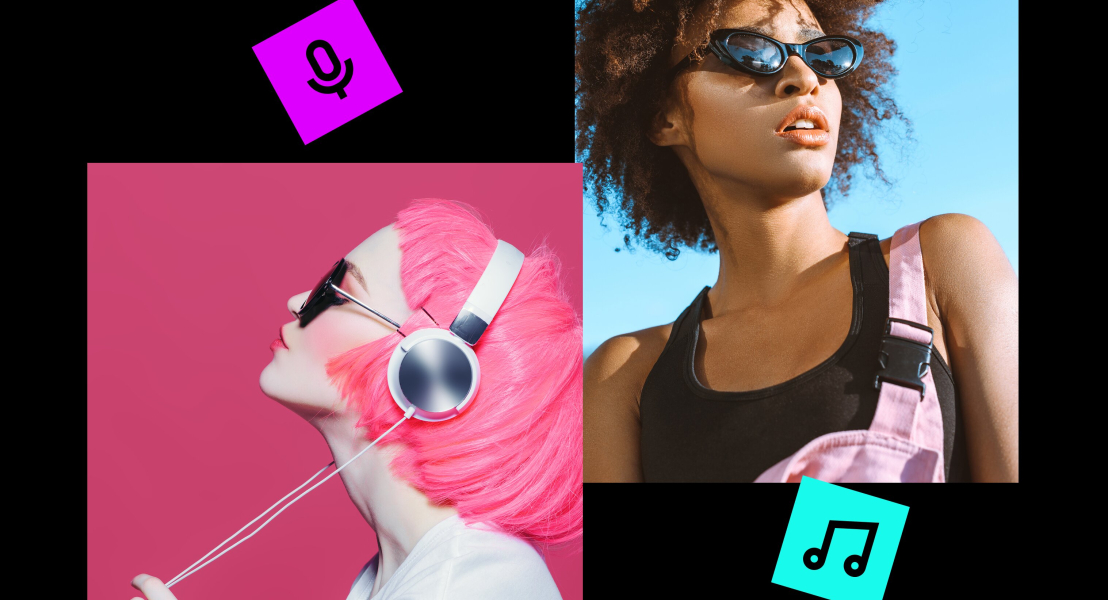
Karaoke used to mean a songbook, a microphone, and a limited list of tracks someone else had already prepared. That format still has its place, but it’s no longer the only way people use karaoke. AI tools are turning karaoke into a flexible video workflow: audio separation, lyric timing, visual design, and export all in one creative loop.
If you make videos for YouTube, social media, parties, classes, or brand communities, AI karaoke gives you a faster way to build music-led content. It won’t replace editing judgment, rights checking, or good taste. It does remove a lot of slow setup work that used to stop people before they started.
Traditional karaoke depended on pre-made tracks. If the song wasn’t in the catalog, you either waited, paid for custom production, or gave up. That made karaoke feel like a closed format: fun but limited to whatever was already available.
AI changes the starting point. Instead of searching for a ready-made karaoke version, you can begin with a song file or a licensed track and create a working karaoke video from it. The software can separate the lead vocal from the instrumental, match lyrics to the audio, and produce visuals that are ready to edit or share.
For creators, that matters because karaoke is no longer only for singing nights. It can be a format for lyric videos, fan engagement, language practice, event screens, music lessons, rehearsal clips, and short-form social content. A song becomes a piece of editable media, not just an audio file.
The biggest change is speed. Creating a karaoke video used to involve several separate steps: find or produce an instrumental, write or source lyrics, time each line, design the lyric layout, export the video, then check the result. None of those steps is impossible, but together they can turn a simple idea into an afternoon of work.
AI-powered karaoke tools compress that first pass. A tool can analyze the audio, reduce or remove vocals, generate a backing track, and place lyrics close to the right moments. If you want to test the workflow, an AI karaoke maker can help you turn a song into a karaoke video before you spend time polishing every detail.
That doesn’t mean the first export is always final. Songs with heavy backing vocals, live recordings, unusual mixes, or fast rap sections may still need manual adjustment. But the starting draft is much better than a blank timeline. You can spend your energy on the parts viewers notice: readable lyrics, clean timing, good visuals, and a version that fits the platform.
Lyrics are not decoration in a karaoke video. They’re the interface. If the words arrive late, change too quickly, or cover important visuals, the whole experience feels harder than it should.
This is where AI lyric synchronization helps most. Instead of manually placing every line, you can start with an automated sync and then review the moments that need human attention. The goal is accuracy and comfort. A viewer should be able to follow the song without guessing what comes next.
The same thinking applies to adding subtitles in regular video editing. Clear, well-timed text makes video easier to follow, especially when someone watches with low volume or in a noisy space.
Accessibility is another reason to treat timed lyrics carefully. The W3C’s captioning guidance emphasizes synchronized text for audio in video so more people can understand the content. Karaoke lyrics aren’t the same as full captions, but the principle is similar: timing and readability make the media easier to use.
AI karaoke is most useful when music is part of a larger content plan.
For YouTube creators, karaoke videos can support covers, challenges, reaction formats, warm-up content, community posts, and backstage material. If you’re building a YouTube channel around music, you still need a clear publishing strategy.
For social media teams, karaoke-style clips can make campaigns feel more participatory. A brand can invite followers to sing a short chorus, remix a jingle, or use lyric-led videos for seasonal content. The key is to keep the format simple enough for people to join in.
For teachers and coaches, timed lyrics are useful for language learning, pronunciation practice, breathing exercises, and rehearsal. Students can see the phrase structure while hearing the music, which makes practice more concrete.
For events, karaoke videos can support weddings, corporate parties, community nights, school performances, and branded activations. A custom version with the right visuals, key, tempo, and logo can feel more intentional than a generic track pulled from a public catalog.
Karaoke clips can also become part of a bigger edit. For example, you might combine performance moments, crowd shots, and lyric screens into a recap video or slideshow with music.
AI can prepare the raw material, but a strong karaoke video still needs review.
Start with rights. If you’re using copyrighted music, check whether you have permission and whether your intended use is allowed. YouTube’s copyright guidance explains several routes for using protected content, including permission, public domain, Creative Commons, and music sources designed for creators. If the project involves AI-generated or AI-assisted material, the U.S. Copyright Office’s AI resources are also worth reviewing because copyright rules around AI continue to develop.
Then goes the audio. Vocal removal can leave artifacts, especially around harmonies, reverb, or instruments that occupy the same frequencies as the singer. Listen with headphones, not only laptop speakers. If the backing track sounds thin or watery, adjust the mix or choose a cleaner source.
Next, review lyric timing. Automated sync can be close but still feel off to a singer. Watch the video as if you were performing it. If you breathe before the line, the text should give you enough warning. If a line is too long to read, break it earlier.
Finally, design for the screen. Keep contrast high. Avoid tiny fonts. Leave space around the lyrics. If the video will play in a room, test it from a distance. What looks fine on a laptop may be unreadable on a projector or TV.
A simple workflow looks like this:
The best results happen when karaoke-video creators treat AI as the first draft, not the final editor. The tool handles the repetitive setup and the creator polishes the piece and makes it legal and appropriate for the audience.
AI-powered karaoke is changing the format by making karaoke creation faster and more flexible. You’re no longer limited to a fixed catalog of pre-made tracks. You can create a karaoke draft from a song, sync lyrics, customize visuals, and turn music into shareable video content.
The best results still come from human judgment. Choose music responsibly, check copyright rules, review the instrumental, polish the timing, and design the lyrics for real viewing conditions. When you combine AI speed with careful editing, karaoke becomes more than a party format. It becomes a practical tool for creators, educators, performers, and video teams.